Bingel Video: HD Player Hub
- 4.0
- Rating
- 100.00K
- Installs
- Free
- Price

 Analysis by App-foxy
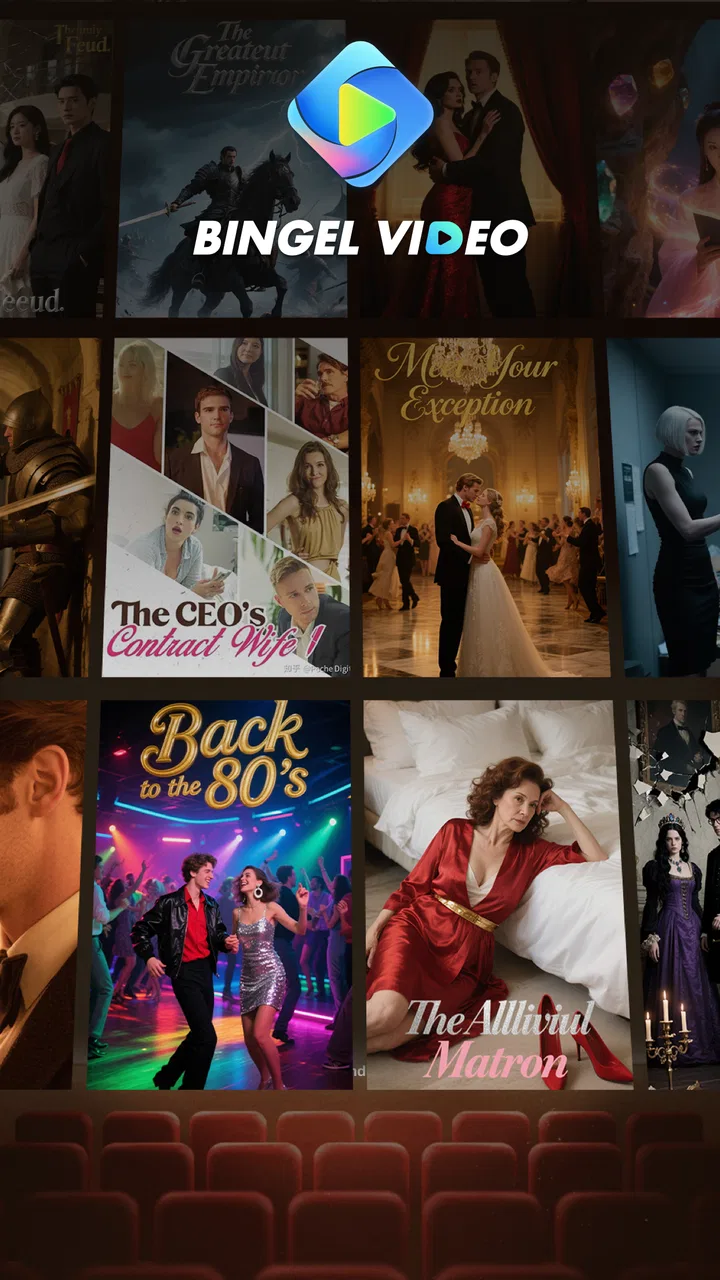
I spent time with Bingel Video: HD Player Hub as a free app for watching short dramas and trending clips, and my first impression is that it aims for quick, low-commitment viewing rather than trying to replace every video service on your phone. Its store summary points to short-form entertainment in HD, while the short description simply identifies it as Bingel Video. That combination tells you a lot about its role: open it when you want something easy to browse, watch a few clips, and move on.
What I like about this kind of app is the low barrier to entry. I do not need to organize a library before watching, and I can use it during small gaps in the day when a full film or long series feels excessive. At the same time, a short-video hub has to earn its place beside familiar video platforms, and that is where the details of your viewing habits matter. If you want a carefully managed personal collection, advanced playback controls, or a dependable home for long-form content, this may not be the best fit.
How Bingel Video feels in its current form
The app sits in the Video Players & Editors category, although my practical use of it is closer to a compact entertainment browser than a traditional editing tool. I would approach it as a place for short dramas and clips, not as an app for cutting footage, adding effects, or producing videos of my own. That distinction is important because the category label can otherwise create the wrong expectation.
You May Also Like

 Blood Strike: 2.5 Anniversary
Blood Strike’s Loadouts Turn Every Drop Into a Tactical Gamble
A close look at Blood Strike’s custom loadouts: how fast access to signature weapons reshapes its battle royale rhythm, rewards preparation, and narrows the gap between fights.

 Pandora - Music & Podcasts
Pandora’s Music Is Easy to Start, but Harder to Recover
Pandora’s strength is its low-effort path from a seed to a station. Its weak spot is how much confidence it asks you to place in connection, setup, and quiet recovery.

 8 Ball Pool
 Is Built on Rivalries, Rematches, and Routine
A close look at the rivalries, rematches, shared routines, and unanswered safety questions that turn a quick pool match into a persistent mobile community.

 Samsung Music
’s Quiet Strength Is Playing What You Already Own
Its reach comes less from spectacle than from dependable access to a personal library. That simplicity is both the app’s strongest retention engine and its ceiling.

 AccuWeather: Weather Radar
AccuWeather Review: A Quick, Clear Forecast for Everyday Decisions
For everyday plans, the best forecast is the one you can understand quickly. AccuWeather makes rain timing, radar, and local conditions easy to act on, with a few trade-offs.

 Hill Climb Racing
Why Hill Climb Racing Still Turns Crashes Into One More Run
A tiny car, a bumpy hill and one more upgrade: Hill Climb Racing keeps resurfacing because its simple chaos makes every near-miss feel personal.
More From Our News Desk
View All News


The experience makes the most sense when I treat it as a focused viewing stop. I can imagine opening it while waiting for an appointment, during a commute with a stable connection, or after dinner when I want several small pieces of entertainment instead of committing to a full episode. The short format also makes it easier to stop without feeling that I have abandoned a long story halfway through.
Its audience reach is already meaningful: the app has passed 100 thousand installs, and its average rating is 4.0. I read that as a sign of a service that has attracted real curiosity while still leaving room for refinement. It is not a reason to assume that every viewer will have the same experience, but it does make the app feel more established than an obscure experiment with no visible audience.
The developer listed for the app is International News. I would still judge the product by what it does in daily use rather than by the developer name alone. For a video app, the useful questions are whether the feed gets me to something worth watching quickly, whether playback feels comfortable, and whether the content suits the amount of time I have available.
Short viewing works best when you set a purpose
My most useful approach is to decide before opening the app what kind of session I want. If I have only a few minutes, I browse for a single short drama or a handful of clips. If I have more time, I let the feed guide me, but I avoid treating every recommendation as something I must finish. This small habit prevents the endless-scroll format from turning a short break into an unplanned hour.
There is also a practical benefit to separating “watch now” from “remember this.” If a clip catches my attention but I cannot properly follow it at that moment, I do not rely on memory alone. I make a mental note of the title or theme before moving on. This is a simple workaround for anyone who finds fast-moving feeds difficult to revisit later.
For a realistic everyday scenario, imagine having ten minutes before a class or a meeting. A long-form streaming service may spend part of that time loading menus, reminding you where you stopped, and asking you to choose among large commitments. Bingel Video is more suitable when your goal is immediate, lightweight viewing. I would close it before the meeting rather than expect it to become my main entertainment library.
HD is useful, but it is not the only thing that matters
The promise of HD is welcome because small details can make short dramas easier to follow, especially when captions, facial expressions, or text inside a scene carry part of the story. Still, higher visual quality does not automatically mean a better viewing session. Screen brightness, network stability, speaker quality, and the size of the phone display can affect comfort just as much.
I would use headphones when dialogue is central, particularly in a noisy place. I would also avoid judging the app from one poor connection, because a video hub depends heavily on the network available at that moment. On the other hand, that dependence is a genuine limitation: viewers who often watch in weak-signal areas should think carefully before making this their primary source of entertainment.
Another trade-off is data usage. HD playback can be more demanding than casual low-quality viewing, so I would be cautious on mobile data and prefer Wi-Fi when I plan to watch several clips. This is especially relevant for people who share a limited data allowance. The app may be free to install, but watching video is never completely free in practical terms when data consumption and battery use are considered.
What the current release tells me about the product
The current version is 1.0.6, and the app was released on June 20, 2025. Those details place it in an early stage of its product life rather than suggesting a mature service with years of visible evolution. I see that as both an opportunity and a caution. A relatively new app can feel direct and uncluttered, but it may also still be working through the small frustrations that become obvious only after a wider audience uses it.
I would not treat the version number as proof of a particular feature or improvement. What it does tell me is that the product has moved beyond its first launch build. For existing users, that usually means the developer is continuing to maintain the app, but I would still pay attention to how future releases affect navigation, playback stability, content discovery, and the general rhythm of the feed.
The age rating is Everyone, which makes the app broadly approachable from a rating perspective. I would still use personal judgement about the individual clips or dramas that appear, because an age label is not a substitute for checking whether a particular piece of entertainment suits a child, a family setting, or a sensitive viewer. Parents should preview the experience rather than assuming that every item will match their household preferences.
Because the app is free, the decision to try it is relatively simple. I can install it without making a purchase commitment and decide whether the content and viewing flow deserve a place on my phone. My recommendation is to evaluate it over several short sessions instead of forming an opinion after one opening screen. A video feed can feel appealing at first but become less useful if it repeatedly fails to surface material I actually want to watch.
How it compares with familiar video alternatives
Compared with a general video platform, Bingel Video feels more specialized around quick dramas and trending clips. A broad platform usually gives me a much wider mixture of creators, tutorials, music, news, long videos, and live material. That breadth is valuable when I already know exactly what I want, but it can also make browsing feel noisy. Bingel Video is more attractive when I want the app’s central theme to do some of the filtering for me.
Compared with a subscription streaming service, the difference is even clearer. A subscription platform is usually better for high-commitment viewing, season tracking, polished long-form storytelling, and watching on a larger screen. Bingel Video is better suited to spontaneous sessions where I do not want to choose a film or begin a lengthy series. I would keep both types of service if I enjoyed short dramas but also watched regular television-length programs.
Compared with a local video player, this app serves a completely different purpose. A local player is ideal for files I already own or have stored on my device, while Bingel Video is designed around discovering and watching content within the app’s own experience. If offline access, personal files, or precise control over a private media library are central to your needs, a dedicated local player is the more sensible choice.
My practical comparison is therefore not about which app is universally better. It is about the moment in which each one works. Bingel Video wins when I want short, ready-to-watch entertainment. A general platform wins when I need variety or a specific search result. A subscription service wins when I want a structured, longer viewing session, and a local player wins when I want control over files already on my device.
Small habits that make the experience more useful
One useful habit is to keep the first session exploratory. Instead of judging the entire service by the first clip, I would sample different types of short dramas and trending material. This helps reveal whether the app’s selection matches my taste or whether I am simply reacting to one recommendation. It also gives me a better sense of how quickly I can find something worthwhile.
A second tip is to use the app as a deliberate break rather than background noise. Short dramas often depend on visual context and dialogue, so constantly switching to another app can make the story feel fragmented. I get more from the format when I watch one item with attention, then decide whether to continue. This is a better use of the app than letting it play while I am doing several unrelated tasks.
A third trade-off concerns screen size. On a phone, the compact format is convenient, but scenes with small on-screen text may be less comfortable than they would be on a tablet or television. I would use the phone for quick sessions and choose a larger display when available for anything that relies heavily on visual detail. That simple adjustment can matter more than the difference between one video app and another.
I would also keep expectations realistic about discovery. Trending clips can be useful when I want something current or popular, but popularity is not the same as personal relevance. If I prefer a very specific genre, mood, or storyline, a service with stronger search and library tools may save me time. Bingel Video is at its best when I am open to browsing rather than arriving with a precise title in mind.
Where the app still needs to prove itself
The biggest question for me is consistency. A short-video app depends on the quality of its recommendations as much as on playback itself. If the feed regularly offers material that feels repetitive or unrelated to my interests, the convenience disappears. I would like the product to make it easy for returning viewers to shape what they see, whether through clearer discovery tools, better organization, or more dependable ways to return to something interesting.
Another concern is the gap between a promising concept and a fully mature viewing service. The current release shows ongoing development, but an early product can still feel less settled than the alternatives people already use every day. I would pay attention to whether updates improve the experience without making it heavier, busier, or harder to start a quick session.
There is also a question of long-term use. The app can be enjoyable as a secondary video destination, but I am less convinced that every viewer will want it as their only entertainment app. People who need a complete catalogue, strong account-based organization, or a dependable way to manage long series should probably look elsewhere. That is not a criticism of the short-drama focus; it is simply the natural limit of a narrower viewing purpose.
Users who dislike algorithmic browsing should think twice before installing it. I prefer some discovery, but I know people who want to select a known title, control the order, and avoid being pulled from one clip to another. For them, a traditional catalogue or local library may feel calmer and more predictable. Likewise, anyone seeking editing tools should not choose this app merely because it appears in a category associated with video creation.
What I would watch as the app develops
For existing users, I would watch how the next releases handle the basics: opening speed, playback reliability, the usefulness of recommendations, and the ease of finding something seen earlier. Those changes would have a bigger effect on my daily opinion than cosmetic adjustments. A short-video app succeeds when it removes friction between opening the app and enjoying a good clip.
I would also look for clearer signals about how the service wants to grow. Does it remain a focused home for short dramas and trending clips, or does it expand into a broader video product? Either direction could work, but expanding too quickly might dilute the simple purpose that makes it appealing. Staying focused could preserve the quick-session advantage while requiring the developer to keep the content experience fresh.
My current verdict is measured but positive. Bingel Video is worth trying if you want free, short-form viewing without committing to a long program. I like its straightforward role, its HD-oriented presentation, and the fact that I can test it without a purchase. I would not replace every other video app with it, and I would be cautious about relying on it in places with poor connectivity or for viewers who need extensive library controls.
In the end, I see it as a useful companion app rather than an all-purpose media centre. It fits the ten-minute gap, the quick break, and the moment when I want a short drama or trending clip without searching through a huge catalogue. If that is how you watch video, the app has a clear reason to exist. If your priority is long-form viewing, offline personal files, detailed editing, or precise content selection, a different tool will serve you better.
FAQs for Bingel Video: HD Player Hub
01What is Bingel Video: HD Player Hub?
Bingel Video: HD Player Hub is presented as a video playback application designed to let users watch locally stored media on a mobile device. Depending on the version and platform, it may support common video formats, basic playback controls, subtitles, playlists, and screen-orientation options. Before installing it, check the official store description carefully, because available features, supported formats, and the app’s exact purpose can vary between updates.
02Does Bingel Video: HD Player Hub support all video formats and HD playback?
The app may handle several popular video formats and high-definition files, but no mobile player can guarantee compatibility with every codec, container, audio track, or subtitle type. Playback also depends on your phone or tablet’s hardware, operating-system version, storage speed, and available memory. If a file does not play correctly, you may need to convert it or use another compatible player.
03Is Bingel Video: HD Player Hub safe to install and use?
Download Bingel Video: HD Player Hub only from a trusted source, such as the official Google Play Store or Apple App Store, and verify the developer name, ratings, update history, and requested permissions. A video player normally needs access to selected media files, but permissions unrelated to playback deserve attention. Read the privacy policy and avoid modified APK files or unofficial download websites.
04Does Bingel Video: HD Player Hub require an internet connection?
A player that focuses on videos stored on your device can generally be used offline after installation, which is useful when travelling or when mobile data is limited. However, internet access may still be required for downloading the app, checking advertisements, retrieving updates, displaying online content, or accessing cloud-based features. Confirm the current store listing if offline playback is important to you.
05Is Bingel Video: HD Player Hub free, and does it contain advertisements or in-app purchases?
The cost structure can differ by operating system, region, and app version. Some editions of media players are free but supported by advertisements, while others offer optional purchases or subscriptions to remove ads and unlock additional tools. Check the app-store page before downloading for pricing, recurring billing details, and cancellation terms, especially if the application requests payment information during setup.
Pros
- Supports HD video playback with a clean
- straightforward interface.
- Useful hub for organizing and accessing videos in one place.
- Responsive controls make pausing
- seeking
- and adjusting volume easy.
- Compatible with common video formats for convenient everyday viewing.
- Simple layout is approachable for users who prefer minimal features.
Cons
- HD playback may use significant battery and mobile data.
- Performance can vary on older or lower-powered devices.
- Some features may require permissions users may not expect.
- The app may offer limited customization for advanced viewers.
- Advertising or promotional content can interrupt the viewing experience.

Bingel Video: HD Player Hub
Gallery